Library name and history
Once logged into the portal, access the library whose history you want to configure.
In the menu located below the library name, click on the gear icon.

You can then modify the name and the retention period of the library history.
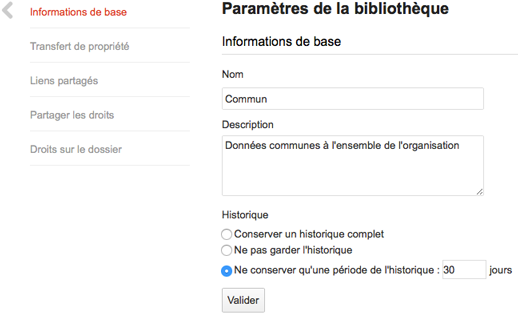
Keep in mind that:
- Not keeping any history of your data is dangerous. A deleted or overwritten file would be permanently lost.
- Keeping a full history of your libraries is safer but consumes more storage space. You may reach your storage quota.
This is why we recommend keeping a "reasonable" history duration for your data.
If you are unsure, we believe that 30 days of history is a good compromise.