Macos Environment
Setup
To install the Arx One Backup Agent on a macOS system, download the isntaller package on the website download page or with the direct link : macOS
Once the package is downloaded, install it on the target machine.
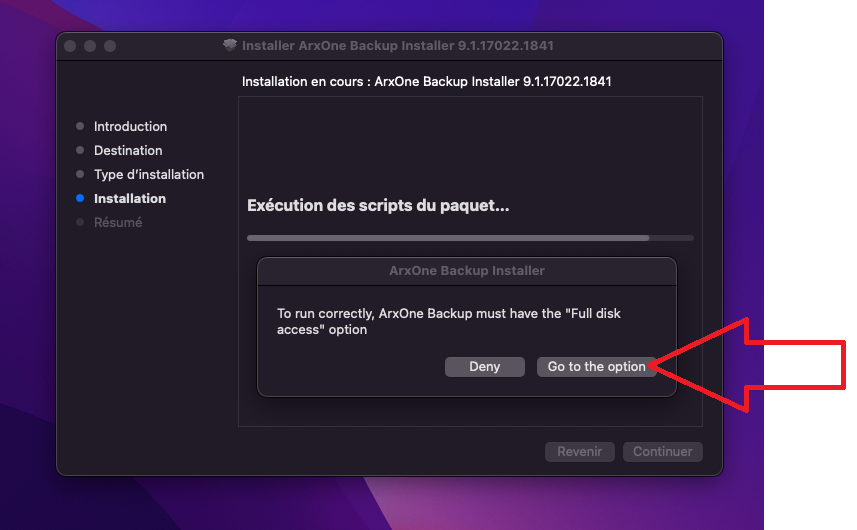
Then a window will open asking you to give « Full disk access » click on the button « Go to the option »
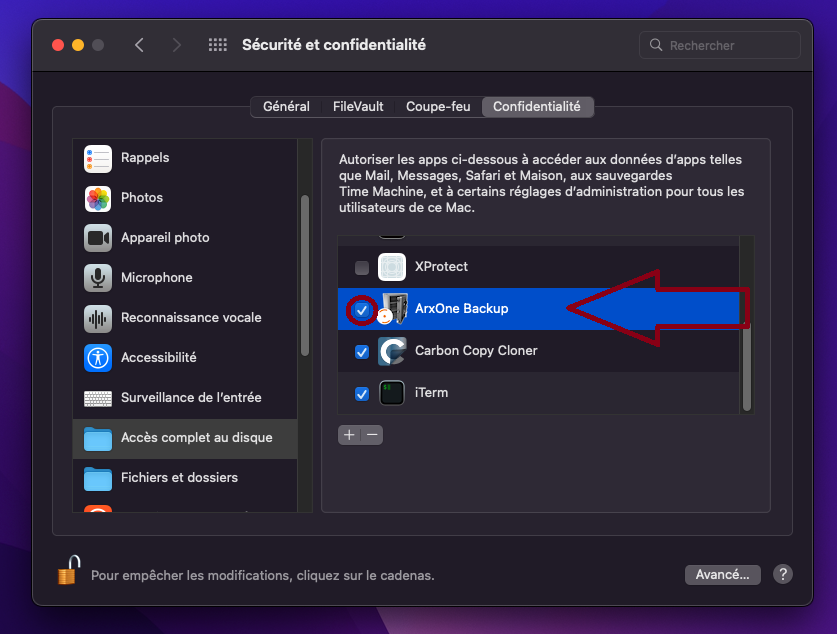
Once in the settings, check the application « Arx One Backup ».
Then finish the installation.
Commnad line setup
To install the Arx One Backup backup agent on a macOS system using the command line, you should follow these steps:
sudo bash -c 'curl -sL https://get.arx.one/backup | SILENT=true CHANNEL=stable ACCOUNT="arx-test" PASSWORD="pass" bash'
or with an account creation token:
sudo bash -c 'curl -sL https://get.arx.one/backup | SILENT=true CHANNEL=stable ACCOUNT="arx-test" CREATION_TOKEN="token" bash'
Make sure to configure the necessary environment variables:
SILENT(optional): Set this variable totrueif you want a silent installation. The default value istrue.CHANNEL(optional): Set the backup channel (e.g.,stable,testingandunstable). The default value isstable.ACCOUNT(optional): Define your backup account.PASSWORD(optional): Set your backup account's password.CREATION_TOKEN(optional): Set the account creation token.
Specifying the ACCOUNT and PASSWORD variables will allow you to directly assign the agent to the entered account.
Linking an Account to a macOS Agent
To set up a backup account with a macOS agent, make sure the agent is correctly installed on the target machine and follow one of the following procedures:
Using Web Configuration
To configure the agent, open a browser at the url : http://computer-ip:10060
Enter the credentials of the account you want to configure.
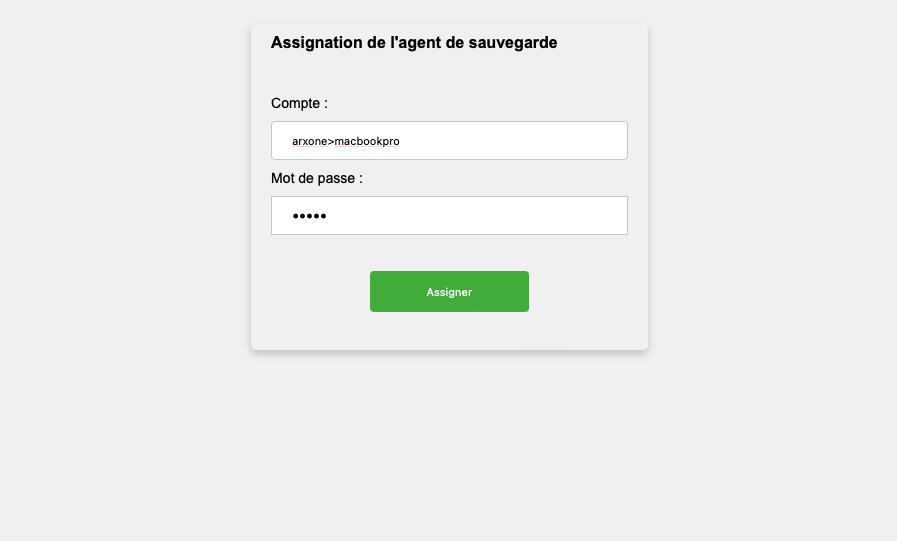
With Web configuration
With the management console
Requires that the backup agent to be associated with the account is located on the same LAN as the console.