Login
Connecting to a backup agent is done simply by using your credentials in the management console.
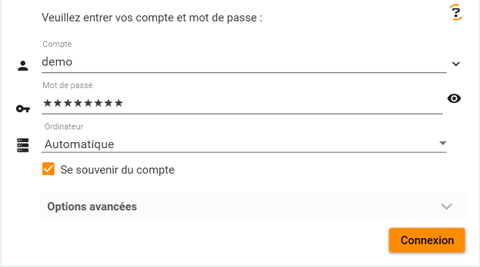
The console supports several connection types:
- Connection to a configured agent
- Connection to an unconfigured agent to assign it an account
- Connection to the local agent using a third-party account
If the "Remember account" box is checked, the credentials will be saved and you will be able to reconnect directly from the dropdown list.
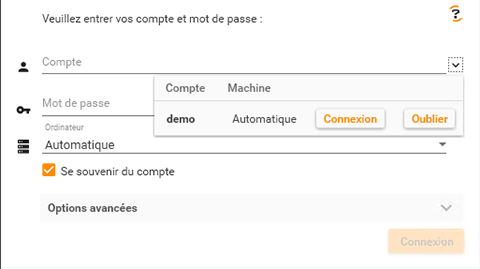
You can also "forget" an account to remove it from this list.
Connecting to a Configured Agent
Enter your credentials in the login fields.
Select "Automatic" in the Computer field (default choice).
Once the credentials are validated, the console will automatically detect whether the agent is on the local machine, on the local network, or outside the network, and connect to it.
After connecting to a remote agent, you can perform all operations as if you were directly connected to the machine.
This connection mode provides full access to backup agent configuration.
Connecting to an Unconfigured Agent
If you installed the backup agent on Linux systems or NAS devices, no account is configured. The account is selected during the first connection.
Enter the credentials of the account you want to use.
Enter the IP address of the machine where the agent is installed.
Validate the connection.
This first connection will configure the account on the installed agent. Future connections can use "automatic" mode.
Connecting to the Local Agent with a Third-Party Account
It is possible to force the use of the local engine with a third-party account.
Enter the credentials of the account you want to use.
Select "This Computer" in the Computer field.
Validate the connection.
Warning: If the local agent is not configured for the account you are using, you will be able to:
- Restore this account’s data
- Monitor the activity of this account and its descendants
- Administer this account and its descendants
However, you will not be able to:
- Run backups
- Schedule backups
- Configure reports
This connection mode is particularly useful for restoring data from a destroyed machine to another workstation or for managing accounts.
For full use of backup agents, make sure to connect directly to the agent.