Monitoring
New tab
When you open a new monitoring tab, you can customize its content:
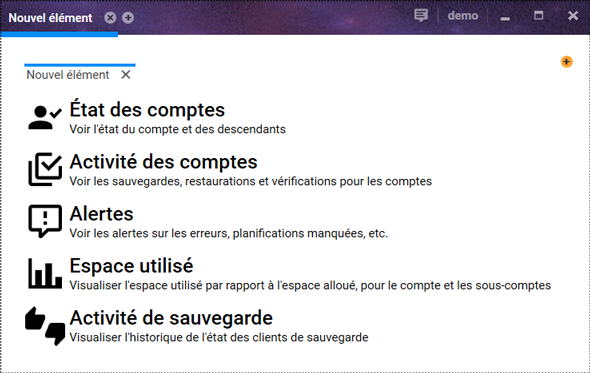
The available options are:
- Account status: displays a summary view of the current status of accounts.
- Account activity: lists backup and verification activity for accounts over a thirty-day period.
- Alerts: allows you to view accounts that missed their last scheduled backup.
- Used space: displays a histogram of storage volume evolution over thirty days.
- Backup activity: presents backup agent activity over thirty days.
All available options apply to the current account and all of its descendant accounts.
Views
Each new tab allows you to choose its monitoring view.
The + button located at the top right allows you to add an additional view within the same tab.
You can therefore have multiple views in a monitoring tab as well as multiple monitoring tabs.