Local Replication Configuration
If you choose to enable local replication, you will be able to select the target storage medium.
Using a Local Disk
By clicking in the "Local Replication Location" field, you will see the available local disks:
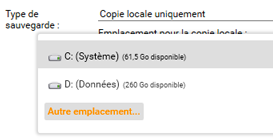
Select the desired disk and confirm.
Once the destination is validated, it may take a few seconds to several dozen seconds for it to appear in your schedule properties.

Using a NAS or Network Share
By clicking in the "Local Replication Location" field, you will see the available local disks:
If you want to replicate to a NAS, click the "Other Location" button.
You will then be able to select other local disks or detected network locations.
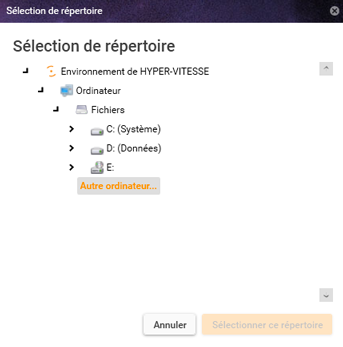
If your NAS does not appear in this list, click "Other Computer".
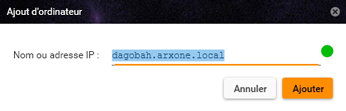
You can then add it using its DNS name or IP address:
Once added, it will appear in the list as follows:
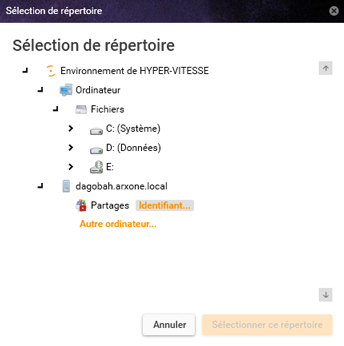
Since the backup agent runs under the system account, you will need to add a user account to access the shares on the added server:
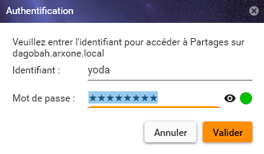
After adding the credentials and selecting the destination share, confirm.
Once the destination is validated, it may take a few seconds to several dozen seconds for it to appear in your schedule properties.
