Backup account management
Backup account creation
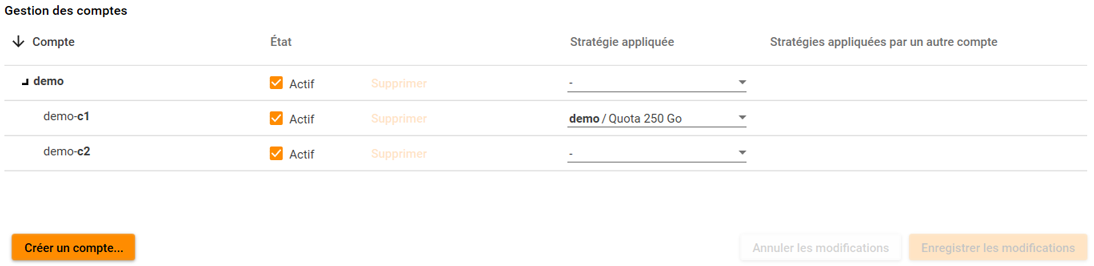
From the administration tab, click on the sur le bouton "Create account" to create a descending account.
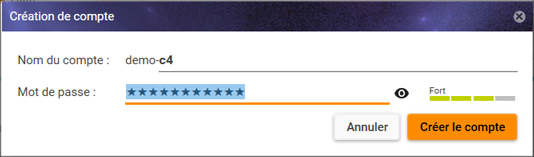
A dialog box will then allow to type in :
- The new account's name
- It's password with, on the right, a password force indicator.
The password strength indicator is only here for information and will not block you account creation.
 Important : le mot de passe est le seul moyen d'accéder aux données du compte. La perte de ce mot de passe entraînerait la perte de l'accès aux données sauvegardées, et l'impossibilité de restaurer les données du compte. Veillez à bien mémoriser le mot de passe.
N.B. : You cannot create a root account. You can create accounts descending from the one being currently used.
Applying a strategy
You can apply a strategy to your descending accounts (one strategy per account).
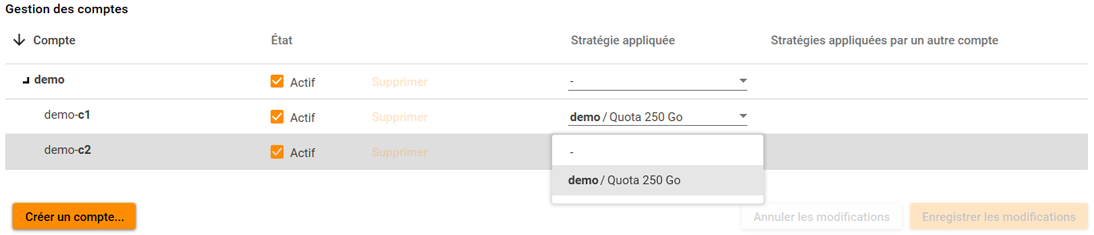
To do so:
- Select the accounts on which you wish to apply a strategy
- Select the strategy to apply within the drop down list
- Click onto the "Save modifications" button
To learn more about strategies click on this link.
Disabling a backup account
You can disable a backup account at any time. It will block its backup without deleting its data. Once disabled, you will be able to delete it, or to enable it again.
Select the accounts to disable within the account list, untick the "Enabled" check box and then click on the "Save modifications" button.
In the account list, the disabled accounts will now appear as such.
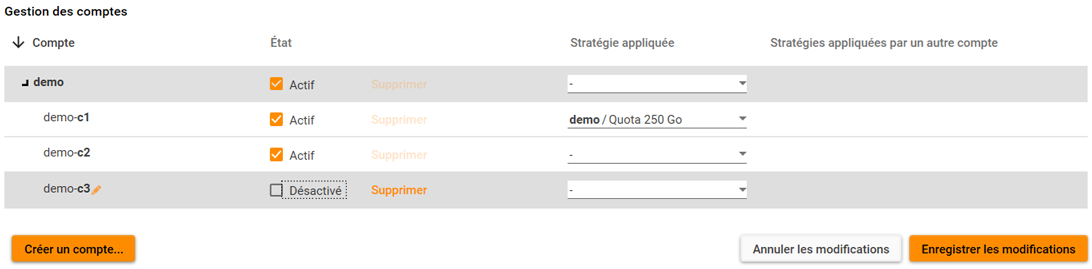
To reactivate an account, perform the inverse operation.
Deleting a backup account
Before deleting an account, it is necessary to disable it.
After being disabled, you will have to click on the "Delete" button.

If you accidentally deleted an account, you have a few seconds to cancel the operation before the account disappears from the administration interface:

Important ! An account deleted from the administration interface is put in a queue for permanent deletion.
This means that you will not be able to recreate an account with the same name immediately, and that in the event of an error, our assistance will reinstate the deleted account.
The final deletion of an account will be carried out within one day to one week.