Retention Explained in Video
Backup Retention
What Is Backup Retention?
Backup retention, or simply retention, refers to the period during which your backup system keeps a history of the data it protects.
During backups, each modification to your data generates a new version. A creation, modification, or deletion of a file will therefore generate versions that are stored and kept throughout the retention period.
This allows users to restore their data to a consistent previous state.
The retention period is defined at minimum by an end-of-retention rule. This end-of-retention rule may look like something such as "End of retention: one week", for example.
Examples of Data Retention
Here are two examples to illustrate what this means in practice.
Let us imagine that we apply an end-of-retention rule that keeps no history beyond ninety days.
Archive File
You back up an archive file that has not been modified for years.
It will have only one version in the backup.
If you delete it, you will be able to restore it throughout the entire retention period (ninety days, in our example).
Beyond this period, the file will no longer be recoverable.
Production Database
You back up a production database four times a day.
Since it is constantly modified, you will generate four new versions of its data every day.
This means you will be able to return to a fairly precise version of your database throughout the retention period.
With a ninety-day retention, this represents three hundred and sixty versions of your database.
Progressive Retention
Our second example above highlights an important point: depending on backup frequency and retention duration, the number of available versions and the associated storage consumption can quickly become very large.
This is where progressive retention comes into play.
In the case of our database, it may be useful to return to a precise version over a few days.
But is this still necessary after a few weeks, months, or years?
It is therefore possible to add filters at certain stages of retention in order to control storage usage.
Filters are defined by a point in time from which only a single version at most is kept for a given period. The term at most means that if no new version exists, it has no impact on retention.
Examples of Progressive Retention
Let us return to the example mentioned above.
This time, we will use the following retention model:
- After one week, keep at most one version per week.
- After four weeks, keep at most one version for four weeks.
- End of retention: twelve weeks.
Archive File
During the first backup, your archive file will be backed up and generate one version. Since it is never modified, it will not generate additional versions.
This version will pass through all filters and will be restorable throughout the entire retention period.
Production Database
Your database, backed up four times per day, will generate four versions per day. You will therefore have:
- 28 versions during the week following the backup (4 backups per day, no filtering at this stage)
- 3 versions during the following three weeks (filter: at most one version per week after one week)
- 2 versions between the fourth and twelfth week (filter: at most one version for four weeks after four weeks)
Important Considerations About Retention
Retained Versions
As explained earlier, not all files generate a new version at every backup. Therefore, the version selected to pass progressive retention filters is the first version of each period. If you have a filter that keeps at most one version per week, this means only the first version of the week will pass the filter, provided that a version exists.
Modifying Retention
For the reasons explained above, the end-of-retention date for each version is defined at the time of backup. You can modify file retention at any time from your backup management console. Since data storage is immutable and the end-of-retention date is defined at backup time, retention changes are not retroactive.
Default Retention
A default retention policy is applied to each backup account. This retention follows these rules:
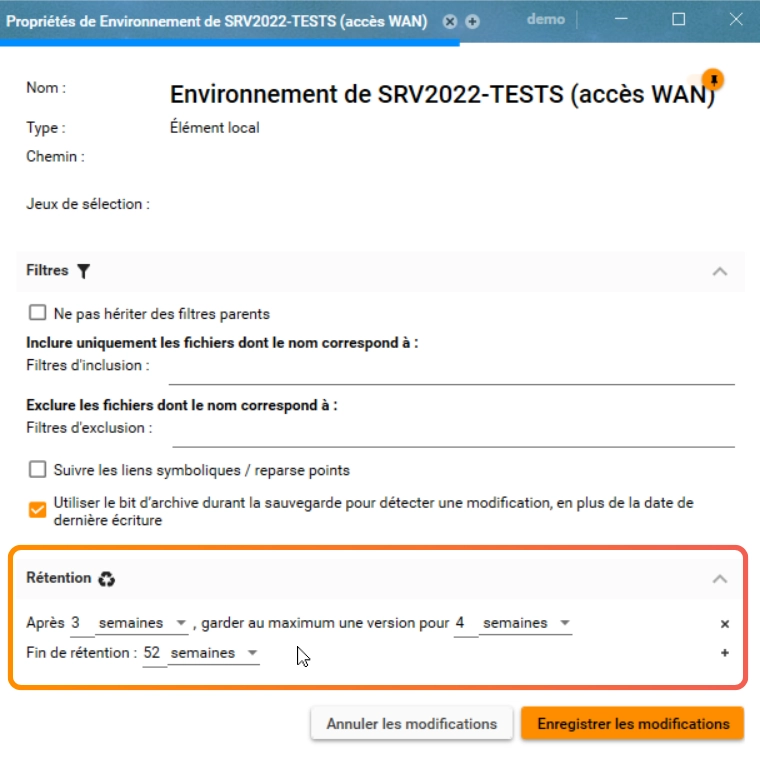
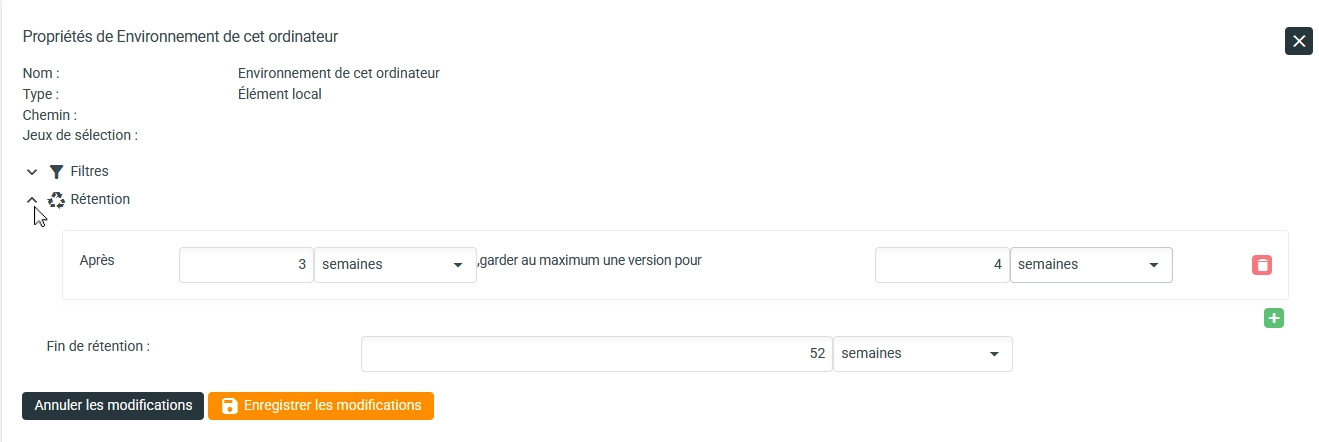
- After three weeks, keep at most one version per four weeks.
- End of retention: fifty-two weeks.
It provides a good balance between restore granularity, retention duration, and storage consumption.
Modifying Retention
Default retention can be modified.
Retention can be customized for each selection node (global, service, disk, directory, file, etc.)
How to Configure Backup Retention?
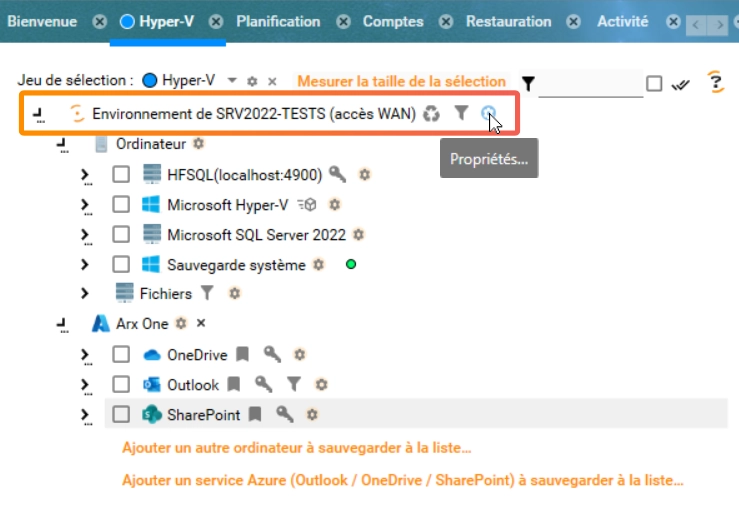
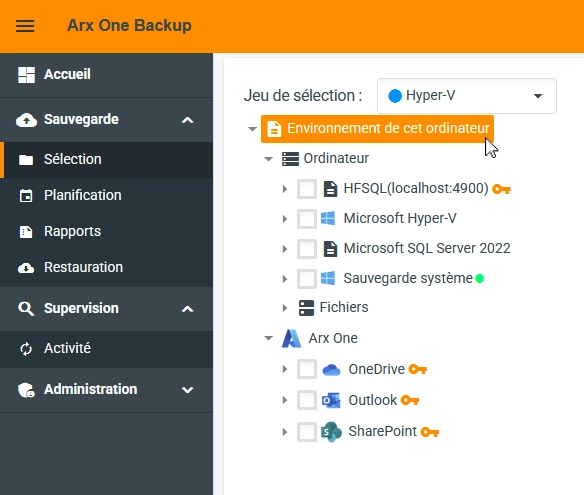
Using your management console, connect to the backup account whose retention you want to modify. Select the account root (highest point in the tree) to display its properties.
| Windows Console | Web Console |
|---|---|
 |  |
The retention applied to the account will then be visible and editable.
| Windows Console | Web Console |
|---|---|
 |  |
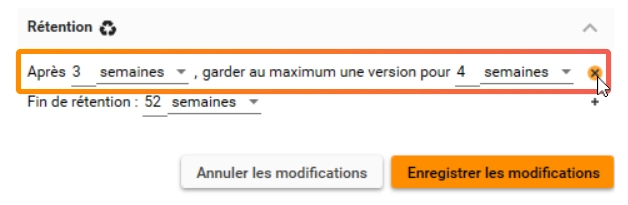
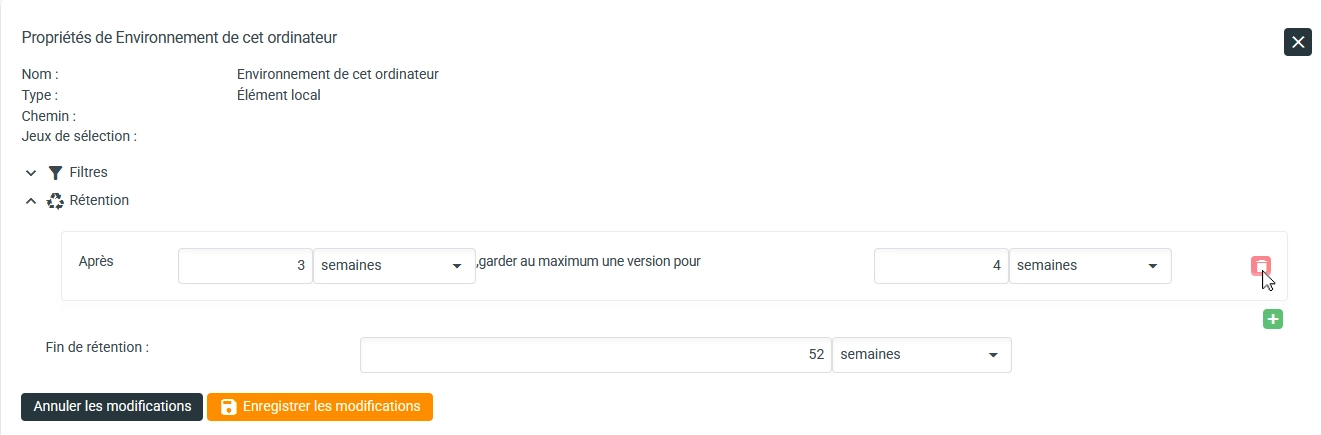
To delete intermediate filters, simply click the delete button.
| Windows Console | Web Console |
|---|---|
 |  |
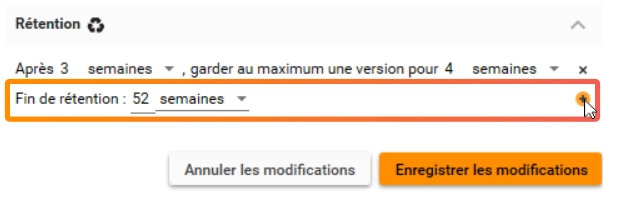
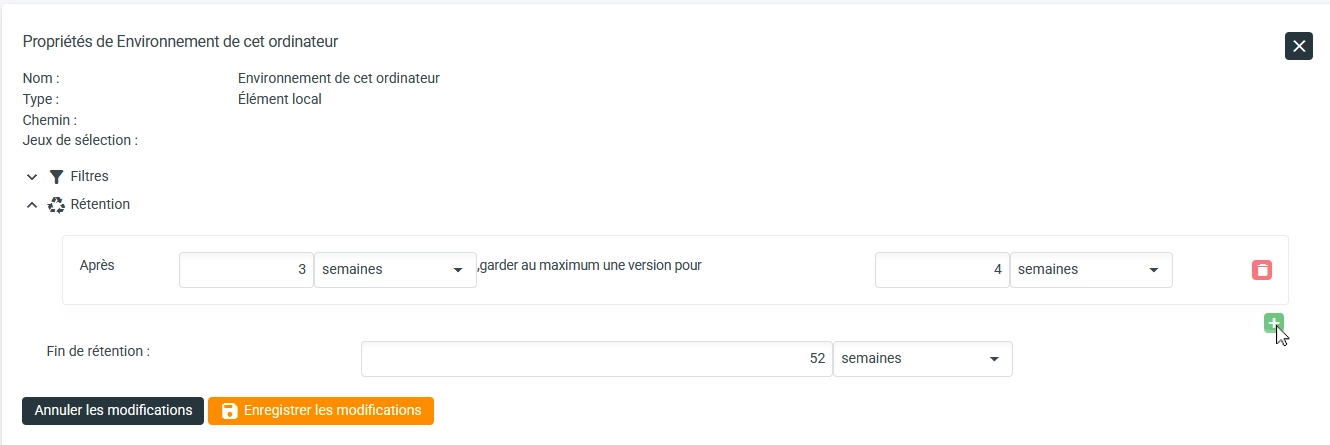
Only the end-of-retention rule cannot be deleted, only modified. To add an intermediate filter, simply click the dedicated button and configure the filter. You are free to create as many as you want.
| Windows Console | Web Console |
|---|---|
 |  |
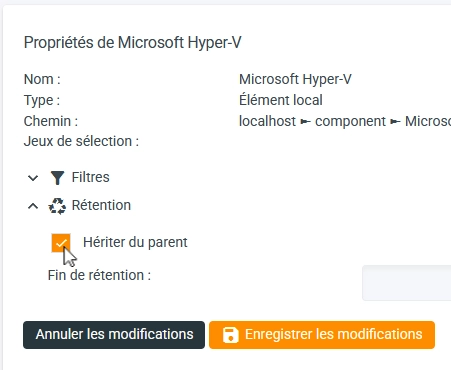
You can define specific retention starting from any node in the tree. This allows you to have different retention durations depending on the nature of the data to be backed up, for example to comply with regulatory requirements. To do this, simply break inheritance in the node properties and define retention by following the steps described above.
| Windows Console | Web Console |
|---|---|
 |  |